I have been designing a sprite maker for my 2D games. The idea is that my sprite maker would produce a sprite map and an XML file describing the sprite map. I would also produce a Sprite class & DLL in C# that would be able to read the XML file and handle all sprite animations for you.
For the purpose of this project, I have defined the following:
- A
Spriteis the collection ofSequencesthat represent aGame Element - A
Game Elementis a visual element in the game-world - A
Sequenceis a collection of orderedFrames - A
Frameis a rectangular section of an image
That is to say that menu items, HUDs, buttons, text, loading screens, all of that is not a Sprite because they do not exist in the game-world.
Also, each Sequence has a unique combination of Set, Animation, and Orientation where:
- A
Setrepresents the set of the sprite to use. This can be used for a second, complete set ofSequencesfor the sprite. Examples are: (full health, half health, and almost dead) or (sword, vs spear). - An
Animationrepresents an action that the sprite is doing. Examples are: Idle, Walking, and Jumping - A
Orientationrepresents the direction the sprite is facing. Examples are: (left and right) or (0, 45, 90, 135, 180, 225, 270, and 315 degrees)
Any of the above can be left as “Default” if they aren’t useful for your application. Every frame can be accessed by using a 4-dimensional array like so:
frame[set][animation][orientation][frame#]
Where the frame# indicates the progress through the Sequence. When the Animation changes, the frame counter restarts at 0. When the Set or Orientation changes, the Animation and frame counters do not change, the current animation just continues in the new Set or Orientation. Each Animation indicates which Animation should follow, once completed. For a looping animation, the animation will refer to itself. For a ping-pong animation, there will be a second animation that uses the same set of frames, only in reverse. And for animations continuing on to greater things, they point elsewhere. Whenever an animation completes, either a flag will be set to indicate this, or an event will get fired to allow the game to take any required actions (like start moving after standing up).
I have written a portion of this application. I can convert a collection of single image files in a specific naming style into a sprite sheet with meta-data that describes the sprite sheet. Here is an example of what it does.
It will convert a huge number of these:


Into something like this:
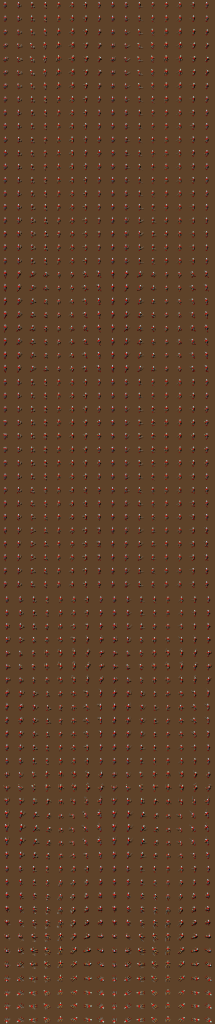
with some xml like this:
<!-- SNIP -->
<sequence set="Axe" animation="been hit" orientation="N">
    <frame image="Vlad.png">
        <anchor x="0" y="0" />
        <rectangle x="0" y="0" w="96" h="96" />
    </frame>
    <frame image="Vlad.png">
        <anchor x="0" y="0" />
        <rectangle x="0" y="128" w="96" h="96" />
    </frame>
    <frame image="Vlad.png">
        <anchor x="0" y="0" />
        <rectangle x="0" y="256" w="96" h="96" />
    </frame>
    <frame image="Vlad.png">
        <anchor x="0" y="0" />
        <rectangle x="0" y="384" w="96" h="96" />
    </frame>
    <frame image="Vlad.png">
        <anchor x="0" y="0" />
        <rectangle x="0" y="512" w="96" h="96" />
    </frame>
    <frame image="Vlad.png">
        <anchor x="0" y="0" />
        <rectangle x="0" y="640" w="96" h="96" />
    </frame>
    <frame image="Vlad.png">
        <anchor x="0" y="0" />
        <rectangle x="0" y="768" w="96" h="96" />
    </frame>
    <frame image="Vlad.png">
        <anchor x="0" y="0" />
        <rectangle x="0" y="896" w="96" h="96" />
    </frame>
</sequence>
<!-- SNIP -->
The source images are freely available at Reinier’s Tilesets.
Both Sword Vlad and Axe Vlad full source images available here (for convenience): VladSourceImages.zip
I plan to change the XML schema that I am using, repeating the image name over and over is wasteful, and can be more difficult to load. I plan to change this to an image listing at the top, then each frame will refer to an image in the table. There are also some more advanced features I plan to add like “registration points”. Registration points are points on the frames where certain game things happen. These can be particles are spawned there, or weapons are fired from there, or my tank turret is attached here, or any location-based data that would otherwise be hard-coded for the sprite being used.
The source for this project is available on Bitbucket.